
Updated: 10 Oct’25
How to mute Telegram Channels
RB% Telegram Channels get 1 message every minute of the day/night, which means you’ll get a notification every minute of the day/night. The Telegram Channels’ notifications are not necessary.
As such, you should mute them, and only refer to the channels when you need.
Step 1
- Press and hold on the Telegram Channel you want to mute. A menu will appear.
Step 2
- Select “Mute“
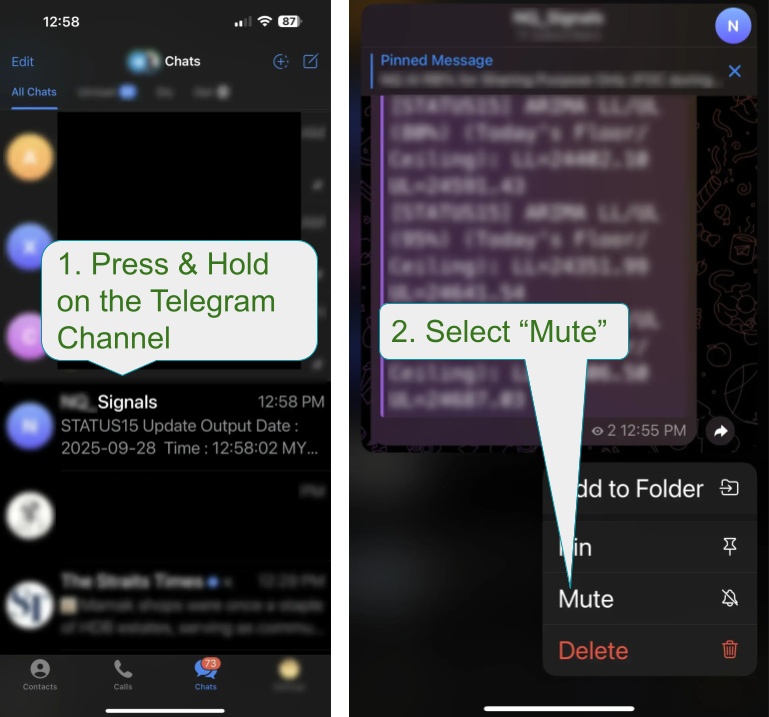
Done 🙂
How to setup TradingView Alert for Prosperity Pulse
Setup TradingView for Prosperity Pulse.
This way, you don’t need to keep monitoring the chart.
- If the Prosperity Pulse (PP) indicator has been updated, you may need to re-setup the alerts.
- Simply delete PP from chart and also delete the PP alerts, then add PP back on the chart and re-setup the alerts.
Step 1
- Make sure you’re on the 15-minute chart.
- Click on the 3 dots on Prosperity Pulse (PP) indicator.
- Click “Add alert on Prosperity Pulse…“.
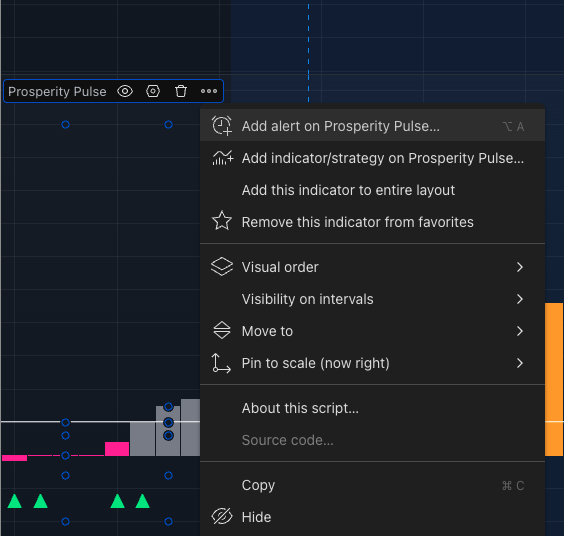
Step 2
- Select from Dropdown, which PP colour you’ll like to be alerted.
- Evelyn uses PP “GREEN” though it appeared blue in her video because she changed the colour from green to blue.
- Alex uses PP “PURPLE”. Upon alerted by TradingView, then he checks the Telegram Channel for at least 2 green ticks.
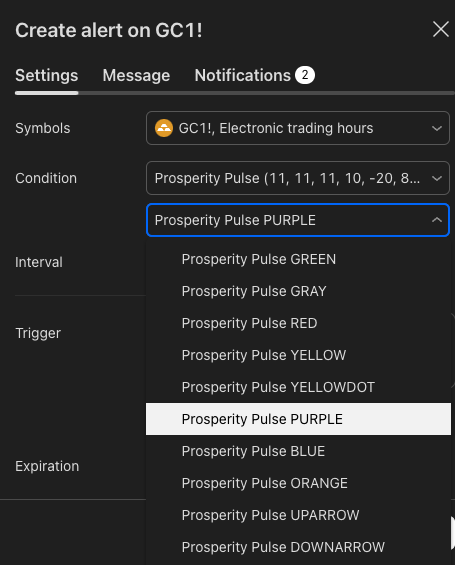
Step 3
- For Trigger, select “Once per bar close“.
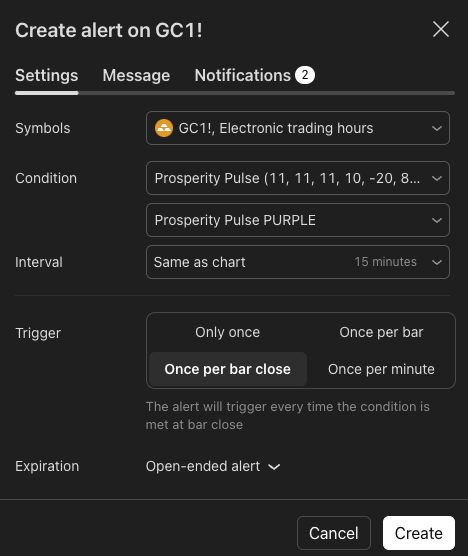
Step 4
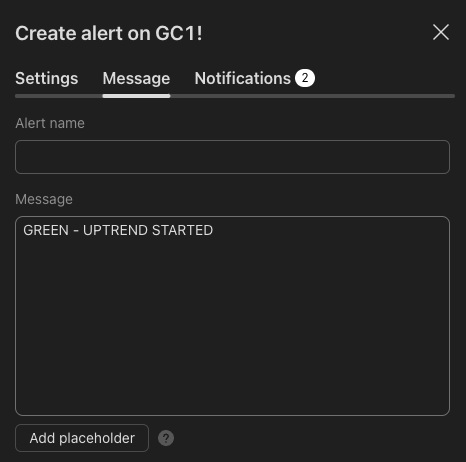
- Enter the “Alert name” and “Message“.
Step 5
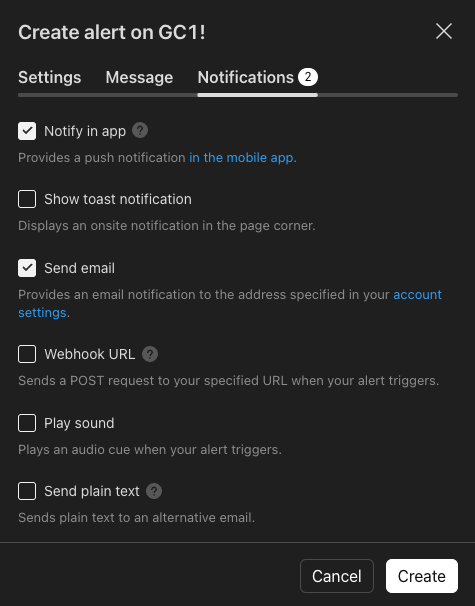
- Select how you want to be notified.
- Click “Create“
Done 🙂